How do I save my test results?
To ensure your BAC results are saved, or to opt out of storing your results, you will need to access your data storage settings by following the steps below.
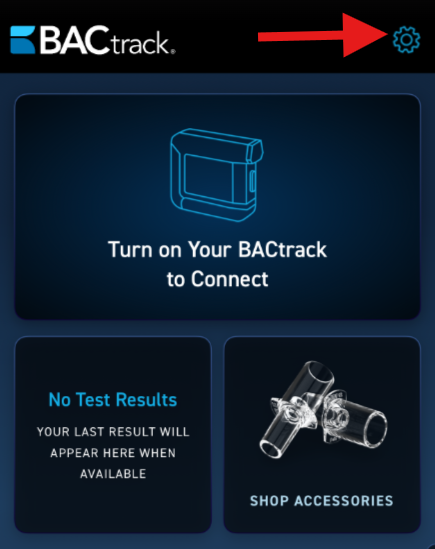
- Once you log into the app, click the gear icon at the top right corner to access the settings menu.
- On this screen, you will see all of the available Settings options.
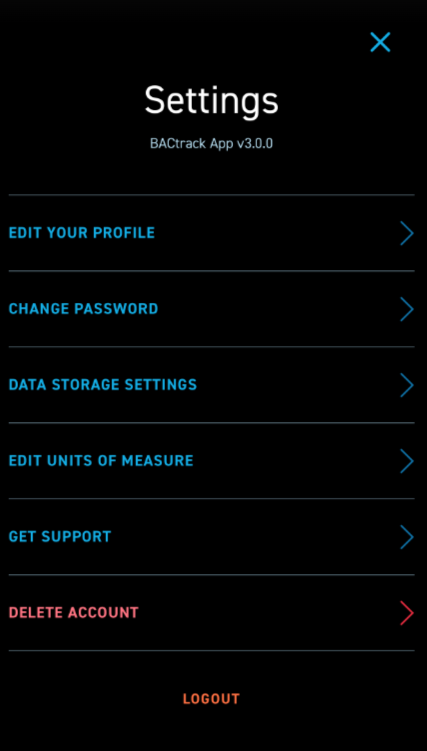
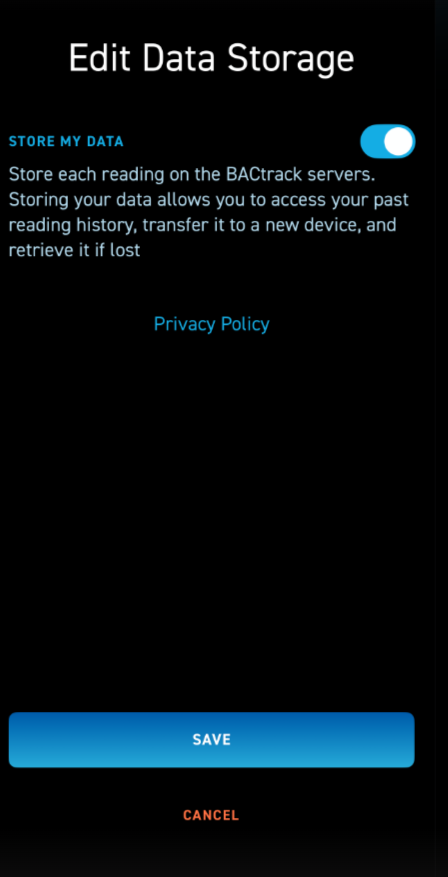
- The third setting option is DATA STORAGE SETTINGS. Here you can enable or disable the feature to store your data. Storing your data allows you to access your past reading history, transfer it to a new device, and retrieve it if lost. Once you change the setting, you can click the blue SAVE button at the bottom.
*Please note that if you disable data storage, your prior history will still remain but any tests taken while this setting is disabled will not be stored.