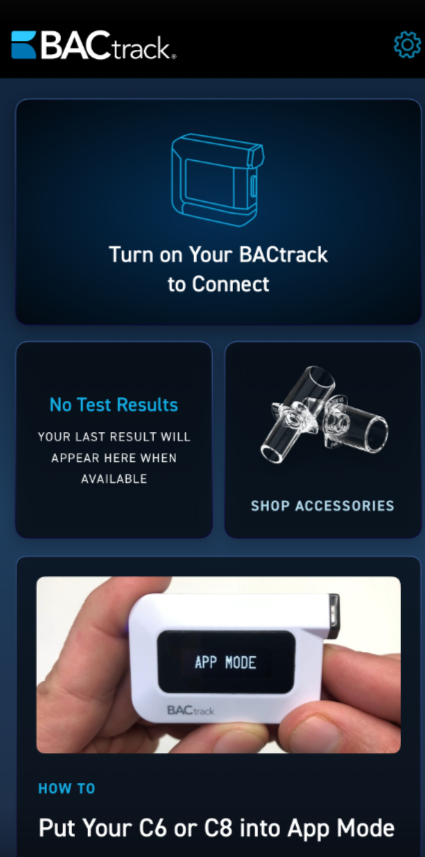
How do I create an account in the app?
Please follow the steps below to create your account in the BACtrack consumer app. Please note that creating an account is required but you will have the ability to turn off data syncing, storing your tests, in the settings once your account is created.
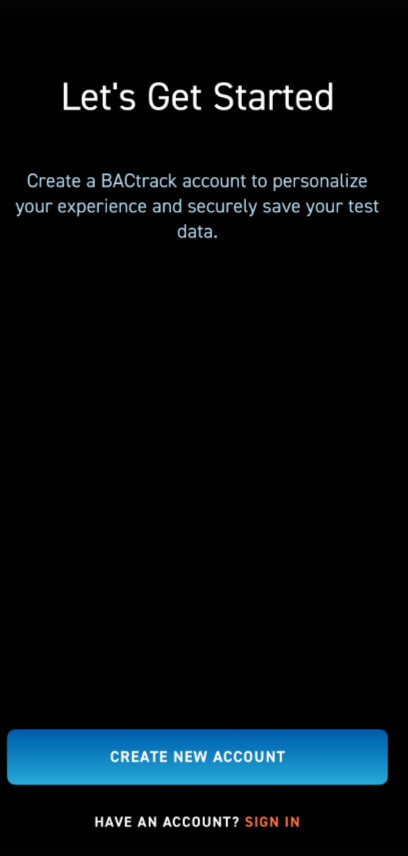
- Once you download the BACtrack consumer app, you will see the screen below. Click the Create New Account blue button at the bottom. As noted, if you already have an account, please select the Sign In option instead.
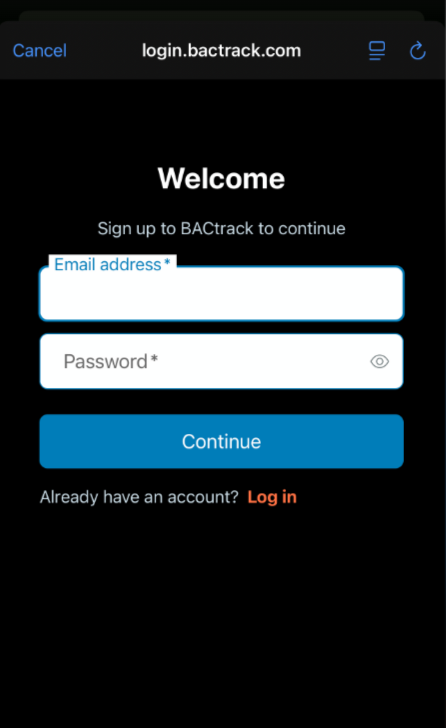
- On the next screen you will enter your email address and select your password. If you already have an account, it gives you another opportunity to Log In instead.
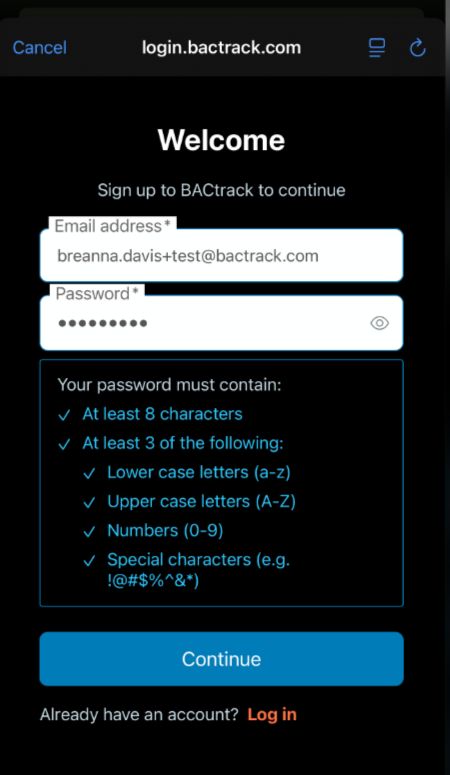
- Please review the password requirements listed below. Once you enter a valid email address and your password meets all criteria, the Continue button at the bottom of the screen will become active and you can proceed.
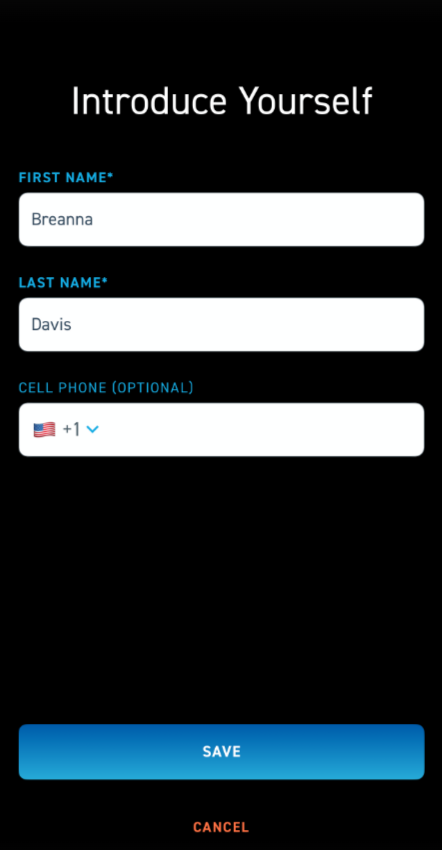
- On the next screen, you will be asked to enter some basic information. First Name and Last Name are required fields, while your mobile phone number is optional. Once all required information has been provided, the blue Save button will become active and you can continue.
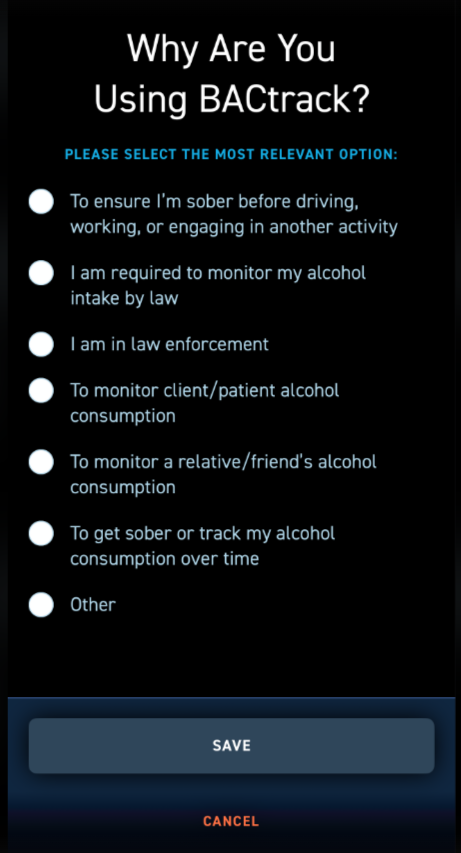
- On the final screen, please select the reason you are using BACtrack. This information helps us ensure that we provide the most relevant and helpful content for your experience. Once selected, please click the SAVE button at the bottom of your screen.
- Your account set up is now complete! You will see the screen below and you can start using your breathalyzer and explore everything the app has to offer.